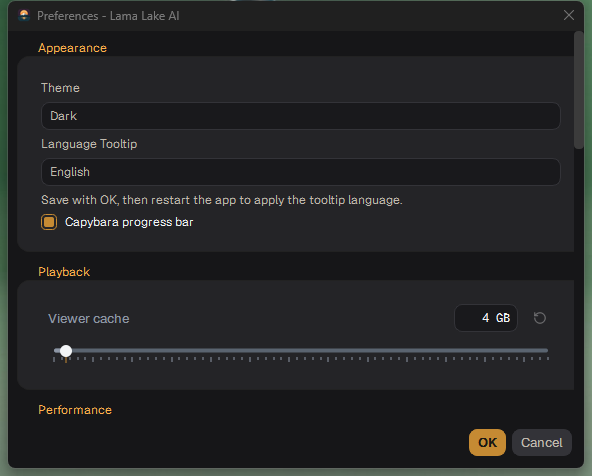
Preferences (Settings → Preferences…, Ctrl+,) is one scrolling window of groups. OK saves, Cancel drops the changes.
Preferences
Appearance
Theme controls the appearance.
Language Tooltip selects the tooltip language.
Capybara progress bar controls the tracking progress animation.
Settings → Appearance… opens the same group directly.
Project files
Associate .lla files with this app associates project files with the app on Windows.
Playback
Viewer cache (GB): how much memory the viewer may use to keep frames for smooth playback. More is smoother on long clips.
Performance: CPU threads
CPU threads: how many processor threads the app's CPU work may use. The default is half the logical cores (at least two). The maximum is the number of logical cores; a warning appears above 70%. The saved setting applies to new tasks.
Render backend, Models, Hardware
Render Backend: Run matting onLocal. Storage / I/O: localize network projects to a local scratch folder.
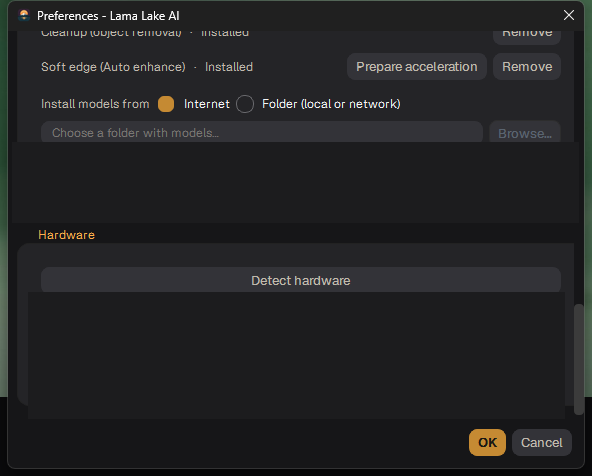
Models: the installed tools, a Remove button for each, and the models folder (Change…).
Hardware: Detect hardware names the graphics card, video memory, driver, RAM and the speed-ups available.
Hardware after detection
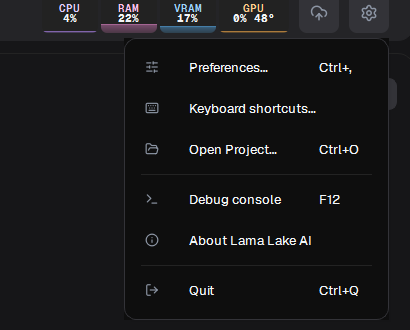
Settings menu
The settings menu
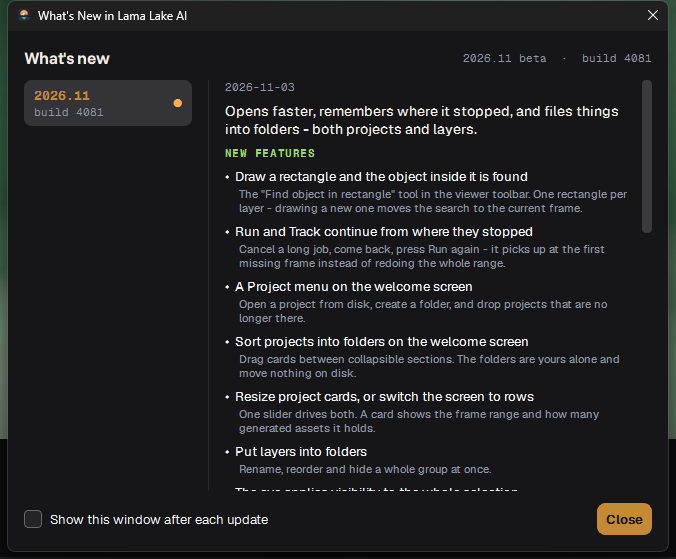
Keyboard shortcuts… (see Keyboard shortcuts), Save session, Open Project…, Debug console, What's New (the changes of each version), About, Quit.
What's New
Настройки (Preferences)
Настройки (Settings → Preferences…, Ctrl+,) — одно прокручиваемое окно с группами. OK сохраняет, Cancel отменяет изменения.
Preferences
Appearance
Theme — тема оформления.
Language Tooltip — язык подсказок.
Capybara progress bar — анимация на полосе прогресса трекинга.
Settings → Appearance… открывает эту группу сразу.
Project files
Associate .lla files with this app связывает файлы проектов с приложением в Windows.
Playback
Viewer cache (GB): сколько памяти вьюер может занять под кадры для плавного воспроизведения. Больше — плавнее на длинных клипах.
Performance: CPU threads
CPU threads: сколько потоков процессора может использовать приложение. По умолчанию используется половина логических ядер (не менее двух). Доступно до всех логических ядер; при значении выше 70% отображается предупреждение. После сохранения настройка применяется к новым задачам.
Render backend, Models, Hardware
Render Backend: Run matting on — Local. Storage / I/O: копировать сетевые проекты в локальную временную папку.
Models: установленные инструменты, кнопка Remove у каждого и папка инструментов (Change…).
Hardware: Detect hardware показывает видеокарту, видеопамять, драйвер, ОЗУ и доступные ускорения.
Hardware после проверки
Меню настроек
Меню настроек
Keyboard shortcuts… (см. Горячие клавиши), Save session, Open Project…, Debug console, What's New (изменения каждой версии), About, Quit.